
Yes, you can charge a Tesla at any EV (electric vehicle) station that has a compatible charging plug. There are several types of charging plugs available, and Tesla cars are typically compatible with the Type 2 connector. In this article, we’ll explain how to charge a Tesla at an EV station step by step.
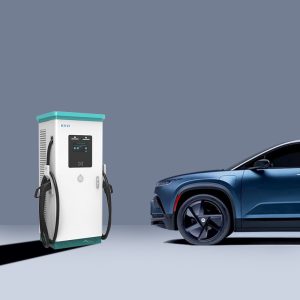
Step 1: Find an EV Charging Station
The first step in charging your Tesla at an EV station is to find one. There are various ways to find EV charging stations, including mobile apps, websites, and navigation systems. Tesla’s navigation system provides a list of nearby EV stations, along with the types of charging plugs available, and the availability of charging spots. You can also use mobile apps like PlugShare or ChargePoint to find nearby EV stations.
Step 2: Check Compatibility
Before you plug in your Tesla at an EV station, it’s essential to check if the charging plug is compatible with your car. Most EV stations support the Type 2 connector, which is also used by Tesla’s European models. However, some EV stations might use a different plug, such as the CHAdeMO or CCS connector, which are not compatible with Tesla’s vehicles. Tesla provides an adapter for the CHAdeMO plug, but it’s not compatible with the CCS connector.
Step 3: Check the Charging Rate
EV stations offer different charging rates, which determine how quickly your Tesla can charge. The charging rate is measured in kilowatts (kW), and the higher the kW, the faster your Tesla can charge. Tesla’s Superchargers offer the fastest charging rate, up to 250 kW, while other EV stations typically offer a charging rate between 7 kW and 22 kW. It’s essential to check the charging rate before you plug in your Tesla, as it can affect how long it takes to charge your car.
Step 4: Park Your Tesla
Once you’ve found an EV station with a compatible plug and the desired charging rate, it’s time to park your Tesla. Most EV stations have designated parking spots for electric vehicles, which are typically marked with signage. It’s essential to park your Tesla in the designated spot, as it ensures that the charging cable can reach your car’s charging port.
Step 5: Open the Charge Port
Before you plug in the charging cable, you need to open the charge port on your Tesla. The location of the charge port varies depending on the Tesla model. For most models, the charge port is located on the driver’s side, near the rear wheel. To open the charge port, press the button on the charging cable or use the Tesla mobile app.
Step 6: Connect the Charging Cable
Once the charge port is open, you can plug in the charging cable. Align the charging plug with the charging port and push it in until you hear a click. The click indicates that the charging cable is securely connected to your Tesla. You can then lock the cable to your car using the locking mechanism on the charging plug.
Step 7: Start the Charging Session
After you’ve connected the charging cable to your Tesla, you can start the charging session. The process varies depending on the EV station, but typically you need to scan a QR code or tap a card to start the session. Once the session has started, the EV station will begin to supply electricity to your Tesla. You can monitor the progress of the charging session on the EV station’s display or through the Tesla mobile app.
Step 8: Monitor the Charging Session
While your Tesla is charging, it’s essential to monitor the charging session. You can check the estimated time remaining on the EV station’s display or through the Tesla mobile app. It’s also a good idea to periodically check the charging cable and ensure that it’s securely connected to your Tesla. If the charging cable becomes loose or disconnected, the charging session will stop, and you will need to reconnect the cable to resume the session.
Step 9: End the Charging Session
When your Tesla has reached the desired charge level or when you’re ready to leave the EV station, it’s time to end the charging session. The process varies depending on the EV station, but typically you need to scan a QR code or tap a card to stop the session. Once the session has stopped, you can unlock the charging cable from your car and disconnect it from the charging port.
Step 10: Exit the Parking Spot
After you’ve disconnected the charging cable from your Tesla, it’s essential to exit the parking spot to allow other electric vehicle owners to charge their cars. Some EV stations have time limits for parking, so it’s essential to move your Tesla promptly after the charging session has ended.
Charging your Tesla at an EV station is a straightforward process, as long as you follow the steps outlined above. It’s important to check the compatibility and charging rate of the EV station before you plug in your Tesla to ensure that you get the desired charge level within a reasonable time. By following these steps, you can charge your Tesla at any EV station that has a compatible charging plug and enjoy the benefits of electric driving.